
Access the Digital Banking Portal
Via SCU Online and SCU Mobile
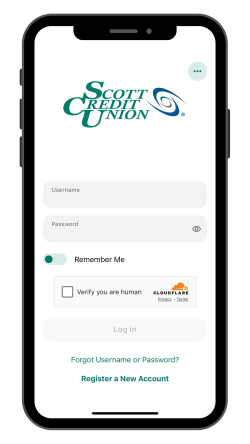
Download the Scott Credit Union Mobile App
The SCU Mobile Banking app lets you check account balances, transfer funds, deposit checks, and more, all from a convenient smartphone app for iOS and Android.


Your mobile service provider may charge Internet access fees. Web access is needed for SCU Mobile. Check with your service provider for details on specific fees and charges for mobile internet access.
Learn About the SCU Digital Banking Platform
SCU Digital Banking Features
Get the Most Out of Your Banking Experience
Set Up Digital Banking

Get Help with SCU Online or SCU Mobile
CONTACT OUR MEMBER SUPPORT TEAM
At SCU, we’re with you for every financial need, and that includes questions about our services or membership accounts. Visit our Member Support page to find the information you need and request additional information or help.
E-Statements
When you choose to receive E-Statements instead of mailed paper statements, you simply receive an email notification from us when your statements are available. You can then log in to your SCU Digital Banking account to view your statement.
Benefits of E-Statements include:

*There is a $2.00 monthly paper statement fee for members with checking accounts, excluding Classic Club and Student Debit. This fee can be avoided by enrolling in E-Statements.
To enroll in E-Statements:
Log in to your SCU Digital Banking account.
In the navigation menu, find the Tools & Services section and click on eDocuments.
Click Settings and choose Subscribe.
Agree to the terms and click Subscribe again.
Once you have enrolled, each month you will receive an email notification that your SCU E-Statement is available inside your Digital Banking account.
As always, we welcome you to email us at [email protected] or call (800) 888-4728 or (618) 345-1000 if you have questions.